Business meetings, conferences, or exploring the city - stay connected with reliable data.
Choose Your Data Plan
Show all data plans
Secure payment methods
Instant email delivery Ready to use in 2 minutes Pay once, no monthly contract
4.8/5 Trusted by 10,000+ travelers
Check What's Included in Your Selected Plan
The details vary by plan size - please select a plan to see the supported countries and networks.
CoverageLoading
The eSIM works in:
Top up anytime
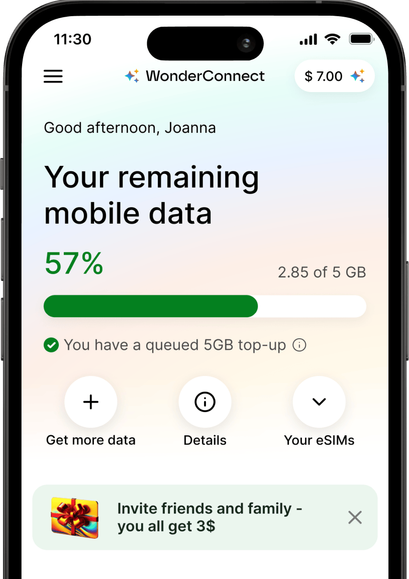
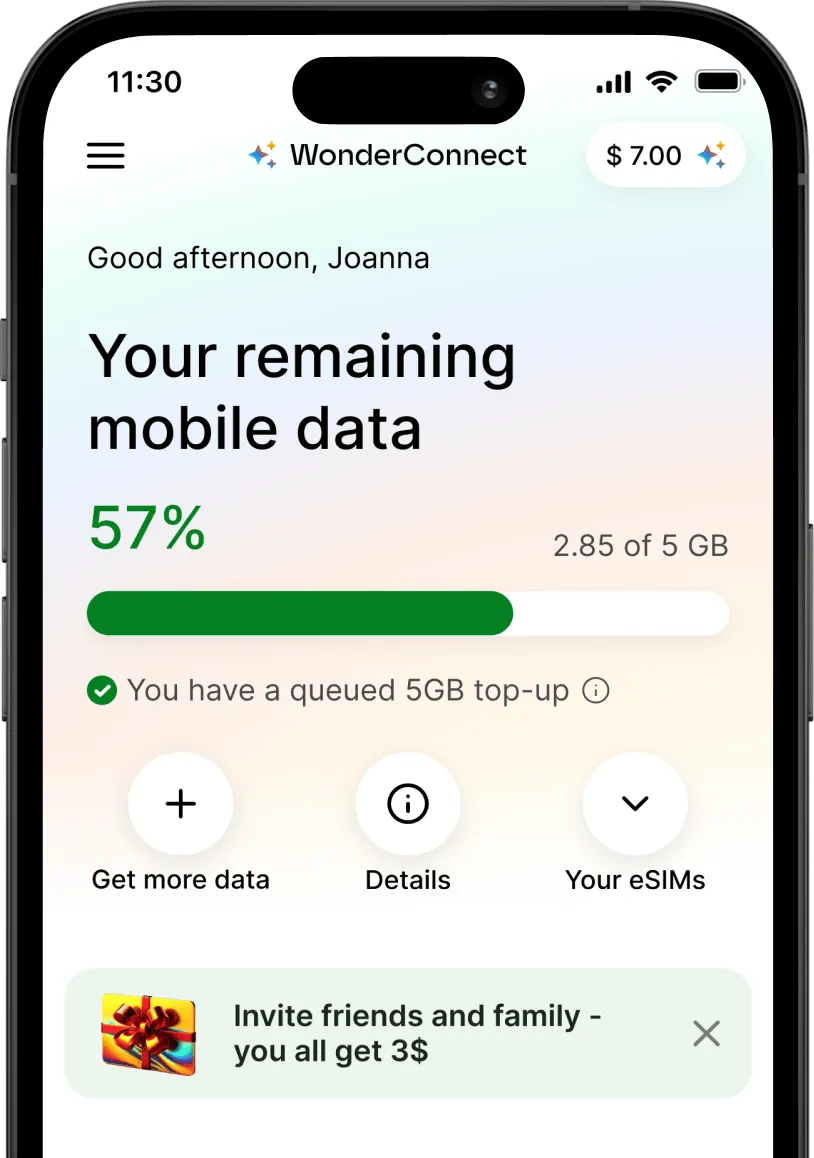
Need more data? Buy a top-up anytime. If your current data plan is still active, your top-up will be queued and automatically activated when your plan runs out or expires. If your plan has already expired or you’ve used up all your data, the top-up will activate immediately after purchase. No need to buy or install a new eSIM for the same destination—just top up and stay connected.
WonderConnect eSIMs provide mobile internet only. This means you won’t get a local phone number and can't make traditional phone calls or send SMS. However, you can stay connected using apps like Messenger, WhatsApp, and others to make and receive voice and video calls.
Use eSIM as a mobile hotspot
Share your data with other devices and people. Most modern smartphones support a hotspot feature. Simply enable it in your device’s settings, and your phone will function like a Wi-Fi router.
Switching devices: Not possible
This eSIM can't be moved to another device. Once installed, this eSIM can't be transferred to another device. If you remove it, you won't be able to install it anywhere else. Accidentally removed the eSIM? You can reinstall it - but only on the same device it was first installed on.
Eco-friendly solution reducing plastic waste
eSIM technology eliminates the need to swap traditional SIM cards. By choosing eSIMs for your trips, you help reduce plastic waste and energy required for manufacturing, packaging, and shipping.
Check how much data you actually need for your trip
How Does WonderConnect eSIM for Singapore Work?

Buy eSIM Online
Avoid roaming fees and airport SIM card hassle
WonderConnect eSIMs provide affordable mobile internet for travelers. Purchase your eSIM for Singapore now and travel with peace of mind knowing you'll be connected the moment you land.
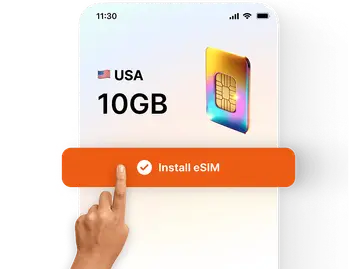
Install in Minutes
A few taps in your phone settings
No more searching for local mobile shops, swapping plastic SIM cards, or dealing with language barriers. With a step-by-step installation guide, you’ll easily set up your eSIM.
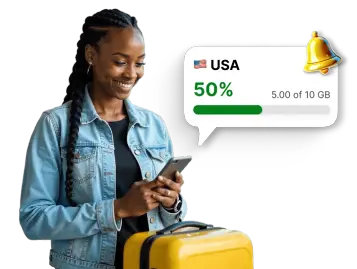
Track Data Usage
Use WonderConnect app
With our user-friendly app, you can easily track your data usage, buy eSIM top-ups when needed, and access customer support on the go.
Using eSIM in Singapore
Quick Purchase Process
Pick your data package, create your account in two clicks and complete checkout. You'll get your eSIM instantly - via email and on your account. No waiting for delivery, no complicated forms. Select, pay, and receive. If you're looking for a last-minute data solution, this one is for you!
Sophie L. - Australia "Bought 5 GB for Singapore. Process was fast, eSIM arrived immediately in my inbox. No long registration forms, I like that."
Keep Your Number Active
Your regular SIM stays in the phone and allows you to answer calls and texts if you want. Your home number can stay active while you use eSIM for mobile data. You can control both lines in your phone settings.
James T. - UK "Flew to Singapore for a conference. My UK number stayed on for work calls while eSIM handled data. Could join video calls from the hotel and navigate between meeting venues without any hassle."
Your Apps Work Seamlessly
All your apps work with the eSIM. Google Maps, WhatsApp, Instagram, email. Everything runs normally just like on WiFi. Worth downloading: SimplyGo handles MRT payments, Grab works for taxis and food, Chope books restaurants instantly.

City-Wide Network
Singapore's mobile infrastructure covers the entire city-state. Fast 5G in most areas, reliable 4G everywhere else.
Zero Waste Option
Traditional SIM cards mean plastic waste. Your eSIM is fully digital. Nothing to throw in the bin after your trip.
More Data When You Need It
You can buy a top-up in the app or on the website. Extra data activates on your existing eSIM. No new setup needed.
Get the WonderConnect App Before You Visit Singapore
Yes. Sentosa has full coverage from all three networks. Your eSIM works at Universal Studios, the beaches, hotels, everywhere on the island. You can use Google Maps to get around, book activities online, or post photos on social media. Signal quality matches central Singapore. No problems when you cross the bridge to Sentosa.
How much data should I buy for a short Singapore trip?
Three to five days - travelers usually buy 5 GB. That covers maps, social media, WhatsApp, and uploading photos.
For business travelers who need video calls or use a hotspot, we recommend 10 GB or 20 GB data plans, depending on the specific work requirements. If you're uploading or downloading big files and have several HQ video calls, you might need to top up your eSIM. All it takes is selecting the top-up and completing the purchase. We'll activate extra data without any extra setup on your end.
Will I get internet right after landing in Singapore?
If you installed your eSIM before the trip, you'll get internet as soon as you turn it on. When the plane lands, go to settings and enable the eSIM. Select it as your mobile data line and turn on data roaming. Connection starts within a few minutes, sometimes in seconds. This means you can check directions, book a Grab, or message your hotel while waiting for luggage. Changi Airport has strong coverage in all terminals.
Will my Singapore eSIM work if I cross into Malaysia?
No. Your Singapore eSIM only works within Singapore's borders. If you take a day trip to Malaysia, you'll lose connection once you cross the border.
For trips covering both countries, consider getting a regional Asia eSIM instead. This eSIM works across multiple countries, including Singapore, Malaysia, Thailand, and others. You install it once and stay connected everywhere you travel in the region.
If you already bought a Singapore-only eSIM and decide to visit Malaysia, you can purchase a separate Malaysia eSIM with a small data plan. Many devices let you install several eSIMs, but usually only one can be active. In your settings, turn off your Singapore eSIM and turn on the Malaysia eSIM when you cross the border. Then follow the usual activation steps: select the eSIM for mobile data and enable data roaming. Your phone will connect to a Malaysian network.
Who should consider getting an eSIM for Singapore?
Singapore eSIM is for business travelers, holidaymakers, and transit visitors exploring Changi Airport, Marina Bay Sands, or Sentosa Island. Having a dedicated eSIM gives your device mobile internet access to ride-hail via Grab, pay MRT fares with SimplyGo, and navigate urban transit routes without removing your primary physical SIM card.
Will I have to complete eKYC or submit official identification documents?
No official ID submissions, passport photos, or identity verification processes are required before setting up your connection. Simply choose your data allowance online, complete checkout, and scan your digital QR code to configure the mobile profile directly on your smartphone.
Can I buy an eSIM while I'm already in Singapore?
Yes! You can purchase your travel eSIM even after arriving at your destination. The only difference from buying it before your trip is that we'll guide you to activate it immediately, allowing you to connect to a local network right away.
With travel eSIM you decide when to buy it - either before the travels, on the go using WonderConnect app, or after you arrive at your destination.
When does my eSIM plan start?
Usually, an eSIM plan starts when you first connect to mobile data at your destination. You can install the eSIM anytime - even weeks before your trip. Installation does not start the validity period (unless you bought an eSIM for your home country; or a package that includes coverage for your home country. Example: Europe → Germany).
The countdown begins when your eSIM connects to a supported mobile network. For this to happen, your eSIM must be turned on and selected as your mobile data line.
How much does an eSIM cost for Singapore?
eSIM prices for Singapore start at £1.50.
To see all available data packages and prices, scroll to the top of the page.
Can I use eSIM on my phone?
To use an eSIM, your device needs to be eSIM-compatible and carrier-unlocked. If you find your phone on our compatibility list, it most likely supports eSIM technology. In some cases, eSIM compatibility depends on where your phone model was manufactured. That's why we advise you to check our list before you buy one of our Singapore eSIM plans.
Carrier-unlocked means your home carrier (your mobile service provider) isn't restricting your phone from connecting to other networks. While carrier locks are becoming less common, if you're unsure, it's best to contact your provider. Just ask if they allow the use of digital SIM cards/eSIMs. If they do, you're free to avoid high roaming costs and enjoy affordable eSIM mobile data!
How do I set up eSIM for Singapore?
Setting up your eSIM requires 2 steps: installation and mobile data activation.
Step 1: Install your eSIM
Your eSIM for Singapore is ready to install immediately after purchase.
To install, choose one of these methods: • Scan the QR code we sent you right after purchase • Use the WonderConnect app with step-by-step installation guide and illustrations
Step 2: Activate mobile data (at your destination)
Once you arrive, complete these 4 steps: 1. In your phone settings, turn on your eSIM 2. Select the Singapore eSIM as your mobile data line 3. Enable data roaming for your eSIM (required to connect to foreign networks) 4. Turn off WiFi and test the connection by opening any website
Connection usually happens within seconds, but can take up to 10 minutes for your phone to catch the foreign network signal. If you are using the WonderConnect app, activation instructions are accessible from the home screen.
Where can I buy an eSIM for a vacation?
You can buy an eSIM for vacation online from WonderConnect on this website or WonderConnect mobile app. Choose a suitable data plan, install the eSIM on your phone, and activate it following provided instructions. Singapore eSIMs start from £1.50.
Can I keep my SIM card and Singapore eSIM at the same time?
Yes! Most modern smartphones support dual SIM, which means you can use both your physical SIM card and the WonderConnect eSIM simultaneously.
You install the eSIM and it works alongside your regular SIM card. You don't have to remove it from your phone.
Set the eSIM as your mobile data line. For your regular SIM card, you have two options:
• Turn it off completely to avoid roaming charges for incoming calls • Keep it on for receiving calls and text messages
Don't worry - turning off your SIM card doesn't delete your number or contacts. You can turn it back on anytime directly from your phone settings
How can I top up my eSIM?
You can top up your Singapore eSIM using the WonderConnect app or through your web account.
Log in to your account, if you have several eSIMs, select the one you want to top up and choose a top-up package. Finalize payment and that's it.
Your top-up activates automatically when your current plan ends or when you run out of data. You can purchase it anytime - even before you need it.
Can I use my Singapore eSIM in other countries?

It depends on the plan you select. Different plans offer different coverage - for example, a 1GB plan may cover only the selected destination, while a 10GB plan may also include 10 more countries.
To see exactly where a plan works, select it and check the Coverage section shown under the plan selection.
If you need an eSIM built to cover several countries, choose one of our regional eSIMs.